<?xml version="1.0" encoding="utf-8"?>
<feed xmlns="http://www.w3.org/2005/Atom">
  <title>Mountain Duck Blog feed</title>
	<subtitle>The latest posts from this Eleventy boilerplate.</subtitle>
	<link href="https://mountain-duck.netlify.app/feed.xml" rel="self"/>
	<link href="https://mountain-duck.netlify.app/"/>
	<updated>2025-11-26T00:00:00Z</updated>
	<id>https://mountain-duck.netlify.app</id>
	<author>
    <name>Andy Clarke</name>
    <email>andy.clarke@stuffandnonsense.co.uk</email>
	</author>
	
    
    <entry>
      <title>Mountain Duck 5 now available in the Mac App Store</title>
      <link href="https://mountain-duck.netlify.app/blog/mountain-duck-5-now-available-in-the-mac-app-store/"/>
      <updated>2025-11-26T00:00:00Z</updated>
      <id>https://mountain-duck.netlify.app/blog/mountain-duck-5-now-available-in-the-mac-app-store/</id>
      <content type="html"><![CDATA[
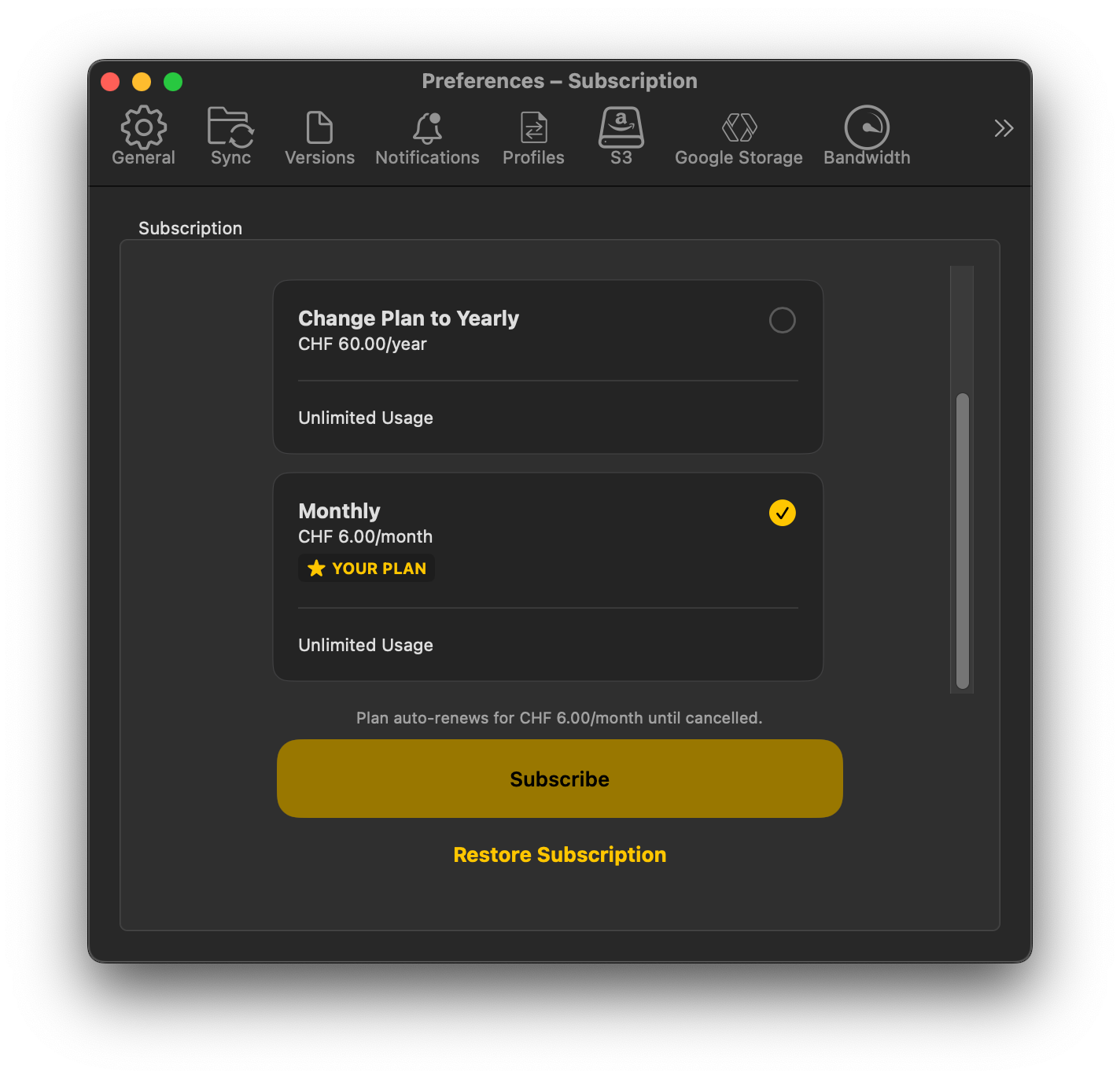
        <p>Version 5 is now available in the Mac App Store as a subscription instead of a perpetual licence. If you previously purchased Mountain Duck in the Mac App Store, you can run version 5 with no limitations for up to one year after your purchase date before you need to move to a monthly or yearly subscription.</p>
<img src="/images/posts/mountain-duck-5-now-available-in-the-mac-app-store.png" alt="">
<p>Unfortunately we can no longer distribute version 4 in the Mac App Store, and subscriptions are not supported through the Volume Purchase Program in Apple Business Manager or Apple School Manager.</p>
<p>If you need a different deployment model for teams or managed devices, we recommend switching to the <a href="https://mountainduck.io/">perpetual licensing option</a> available outside the Mac App Store.</p>

      ]]></content>
    </entry>
	
    
    <entry>
      <title>New application icon for Mountain Duck</title>
      <link href="https://mountain-duck.netlify.app/blog/new-application-icon-for-mountain-duck/"/>
      <updated>2025-10-30T00:00:00Z</updated>
      <id>https://mountain-duck.netlify.app/blog/new-application-icon-for-mountain-duck/</id>
      <content type="html"><![CDATA[
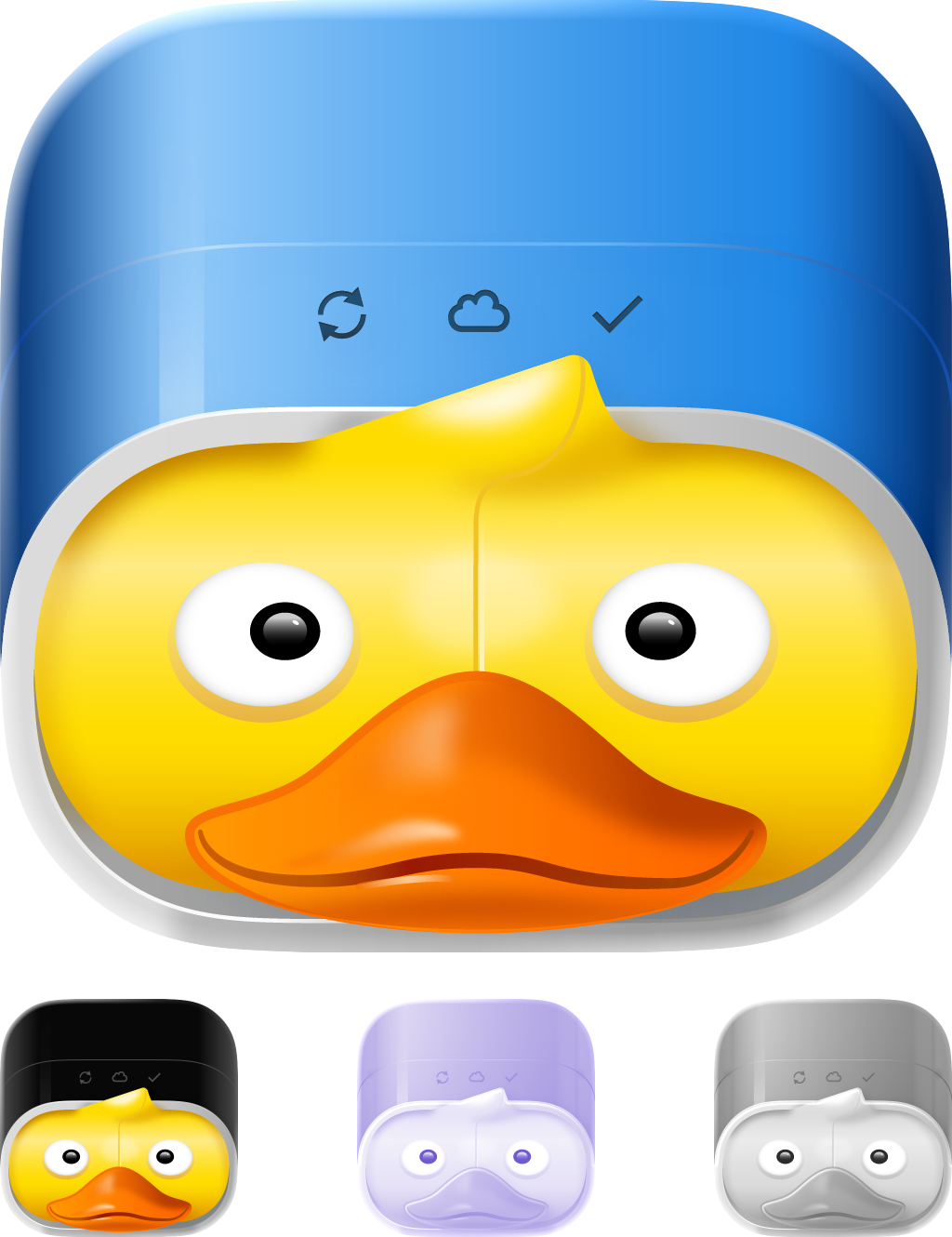
        <p>The new application icon, designed by <a href="https://ktoons.org/">Katharina Hagemann</a>, now comes in three variants for macOS 26 Tahoe, including Dark and Mono versions.</p>
<img src="/images/posts/new-application-icon-for-mountain-duck.webp" alt="">
<p>We decided to make it squircled so it fits more naturally with the new icon style. The changes are scheduled for <a href="https://mountainduck.io/">Mountain Duck 5.1</a>.</p>
<h2>New status bar icons</h2>
<p>The status bar icon on macOS, and the tray icon on Windows, have also been updated. The aim is to make the main sync interface feel more at home on each platform while also showing sync progress more clearly with rotating arrows.</p>
<img src="/images/posts/new-status-icons-for-mountain-duck.webp" alt="">

      ]]></content>
    </entry>
	
    
    <entry>
      <title>Mountain Duck 5</title>
      <link href="https://mountain-duck.netlify.app/blog/mountain-duck-5/"/>
      <updated>2025-08-19T00:00:00Z</updated>
      <id>https://mountain-duck.netlify.app/blog/mountain-duck-5/</id>
      <content type="html"><![CDATA[
        <p>We are thrilled to announce <a href="https://mountainduck.io/">Mountain Duck 5</a>, the latest major upgrade for mounting server and cloud storage as a disk in Finder on macOS and File Explorer on Windows. Version 5 has been in development for several years and adds major new features including Integrated Connect Mode, storage-independent file versioning, and SMB connectivity.</p>
<hr>
<h2>New features</h2>
<h3>Integrated Connect Mode</h3>
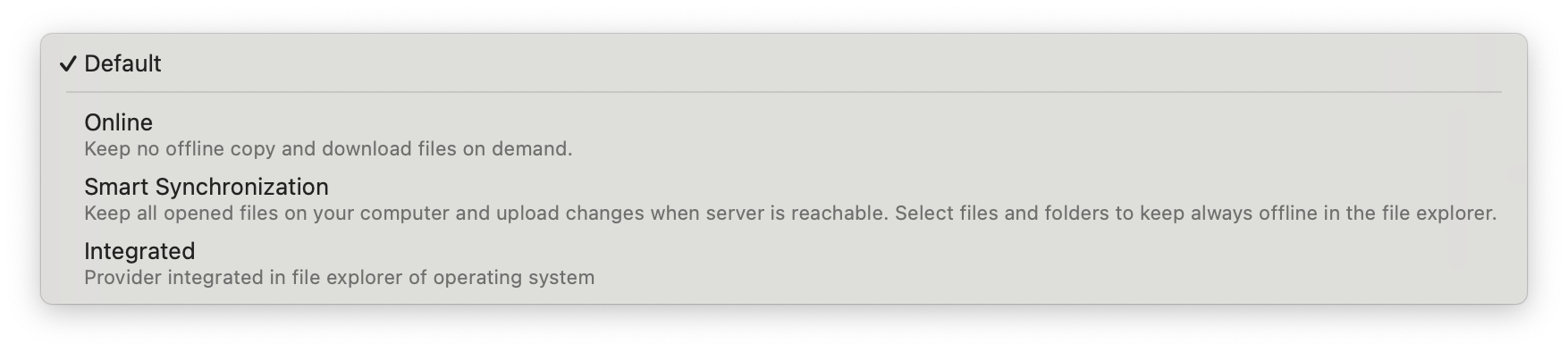
<p>Mountain Duck 5 introduces <a href="https://docs.mountainduck.io/">Integrated Connect Mode</a> using native APIs on Windows and macOS to integrate directly in the file explorer. There is no device driver installation or separate network mount required. File writes and file operations are significantly faster, and the experience feels much closer to OneDrive on Windows or iCloud Drive on macOS. Windows Search and Spotlight on macOS can also be used to search for files on remote storage in Integrated Connect Mode.</p>
<img src="/images/posts/mountain-duck-5-1.png" alt="">
<h3>SMB support</h3>
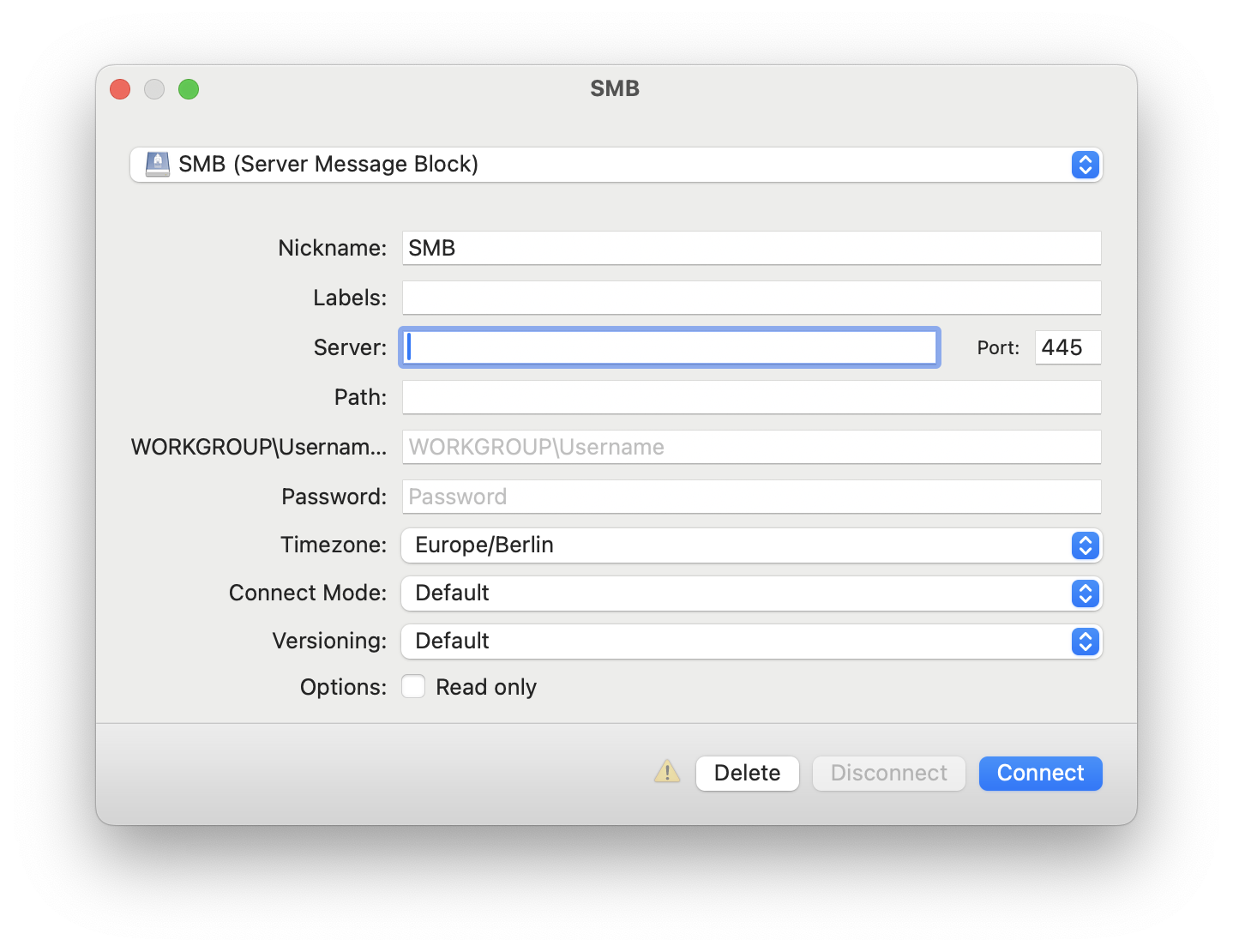
<p>Mountain Duck 5 adds <a href="https://docs.mountainduck.io/">SMB support</a> so you can connect to Windows file shares, Linux Samba servers, macOS File Sharing, and Azure File Shares from the same interface.</p>
<img src="/images/posts/mountain-duck-5-2.png" alt="">
<h3>Activity window</h3>
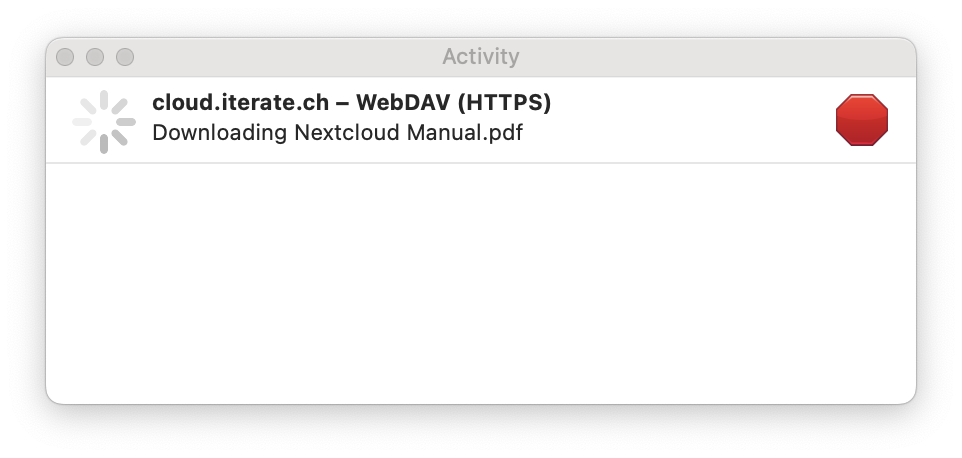
<p>The new Activity panel lets you track and cancel running sync operations from the status bar on macOS or the tray menu on Windows. It shows active file operations, pending sync tasks, and any mount process still in progress.</p>
<img src="/images/posts/mountain-duck-5-3.png" alt="">
<h3>Custom versioning</h3>
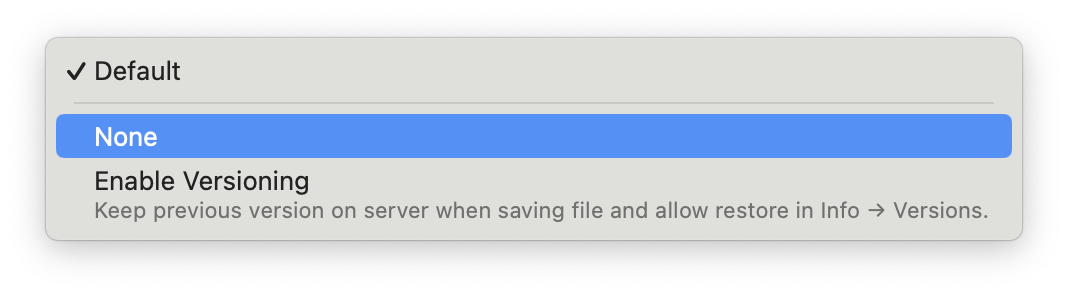
<p>The new <a href="https://docs.mountainduck.io/">Custom versioning</a> feature safeguards previous file versions by stashing the old version before an overwrite happens. It works across protocols that do not offer native version history, including FTP, SFTP, and WebDAV, and previous versions can be viewed or restored from the <a href="https://docs.cyberduck.io/">Info window</a>.</p>
<img src="/images/posts/mountain-duck-5-4.png" alt="">
<h2>Pricing</h2>
<p>Version 5 is the first paid upgrade since version 4 launched in June 2020. Customers with a version 4 licence receive an <a href="https://mountainduck.io/">upgrade discount</a> ranging from 20% to 100%.</p>

      ]]></content>
    </entry>
	
    
    <entry>
      <title>Integrated Connect Mode</title>
      <link href="https://mountain-duck.netlify.app/blog/integrated-connect-mode/"/>
      <updated>2025-08-12T00:00:00Z</updated>
      <id>https://mountain-duck.netlify.app/blog/integrated-connect-mode/</id>
      <content type="html"><![CDATA[
        <p>The new <a href="https://docs.cyberduck.io/">Integrated Connect Mode</a> in Mountain Duck 5 synchronises files and folders from a directory on the local disk with support from macOS and Windows.</p>
<p>While the existing <a href="https://docs.mountainduck.io/">Online</a> and <a href="https://docs.mountainduck.io/">Smart Synchronization</a> modes rely on a device driver on Windows and NFS on macOS, Integrated Connect Mode uses the native File Provider framework on macOS and Cloud Files on Windows. That gives faster write performance, quicker file operations, and access to cached content when offline.</p>
<h2>Synchronisation</h2>
<p>Using operating system features for synchronisation makes the mode more future-proof. As with Smart Synchronization, files are displayed as placeholders, cached locally, and can be marked to keep offline.</p>
<p>The improved user experience adds familiar file management controls directly in Finder and Windows Explorer, making it easier to keep files offline, remove cached data, or exclude items from synchronisation. Visual indicators and progress overlays also make upload and download status easier to follow.</p>
<h3>Additional context menu items</h3>
<p>Additional context menu items in Windows Explorer and Finder make it possible to download files on demand or free up space for files that are already cached.</p>
<h3>Spotlight</h3>
<p>Windows Search and Spotlight on macOS can be used to search for files on remote storage in Integrated Connect Mode.</p>
<h3>New default</h3>
<p>Integrated Connect Mode is the default for new connections. Existing bookmarks keep their current connect mode when a matching cache location is found.</p>

      ]]></content>
    </entry>
	
    
    <entry>
      <title>Custom versioning</title>
      <link href="https://mountain-duck.netlify.app/blog/custom-versioning/"/>
      <updated>2025-08-12T00:00:00Z</updated>
      <id>https://mountain-duck.netlify.app/blog/custom-versioning/</id>
      <content type="html"><![CDATA[
        <p>With <a href="https://mountainduck.io/">Mountain Duck</a> 5, a new storage-independent versioning option is available for protocols that do not provide native file history, including FTP, SFTP, WebDAV, and OpenStack Swift.</p>
<p>Custom versioning helps protect against file loss by stashing changes to a file in a versioned folder on the server before an overwrite happens. The option can be enabled per bookmark or set by default in Preferences under the Versions tab.</p>
<p>Use <a href="https://docs.cyberduck.io/">Info → Versions</a> to browse file history, preview earlier versions, delete them, or restore them. Previous versions are also stored in a folder named <code>.duckversions</code> next to the file.</p>
<p>More information about the setting is available in the <a href="https://docs.mountainduck.io/">Mountain Duck documentation</a>.</p>

      ]]></content>
    </entry>
	
    
    <entry>
      <title>Mountain Duck 5 public beta</title>
      <link href="https://mountain-duck.netlify.app/blog/mountain-duck-5-public-beta/"/>
      <updated>2025-07-14T00:00:00Z</updated>
      <id>https://mountain-duck.netlify.app/blog/mountain-duck-5-public-beta/</id>
      <content type="html"><![CDATA[
        <p>Get a sneak peek at the upcoming <a href="https://mountainduck.io/">Mountain Duck 5</a>. The public beta introduces Integrated Connect Mode using native APIs on Windows and macOS to integrate directly in the file explorer, with no device driver installation or separate network mount required.</p>
<p>All major protocols remain supported, and <a href="https://docs.mountainduck.io/">SMB</a> is added as a new option in version 5.</p>
<p>The new connect mode improves file write performance and file operations overall, bringing them much closer to the speed of local disk activity. Local storage is managed by the operating system, and the mount appears as a regular folder rather than a remote volume. That means it can be accessed when offline and managed with familiar controls in Finder and Windows Explorer.</p>
<p>Additional status indicators show synchronisation state next to file names, and uploads or downloads can display progress directly over the file icon. Windows Search and Spotlight on macOS can also be used to search for files.</p>
<p>To try the beta, choose Preferences → Update → Beta → Check for Update in the Mountain Duck status bar menu. The beta can be used with a valid version 4 registration key while testing.</p>

      ]]></content>
    </entry>
	
    
    <entry>
      <title>Application blocked by Google</title>
      <link href="https://mountain-duck.netlify.app/blog/application-blocked-by-google/"/>
      <updated>2024-08-18T00:00:00Z</updated>
      <id>https://mountain-duck.netlify.app/blog/application-blocked-by-google/</id>
      <content type="html"><![CDATA[
        <blockquote>
<p>This issue was resolved on September 11 after OAuth app verification was completed, including the required CASA assessment.</p>
</blockquote>
<p>To access <a href="https://docs.cyberduck.io/">Google Drive</a> or <a href="https://docs.cyberduck.io/">Google Cloud Storage</a> using <a href="https://cyberduck.io/">Cyberduck</a> or <a href="https://mountainduck.io/">Mountain Duck</a>, an OAuth 2.0 client registration is required so users can grant access through Google’s consent screen.</p>
<p>Google temporarily blocked that consent screen and showed the following error when attempting to create a new connection:</p>
<blockquote>
<p>This app tried to access sensitive info in your Google Account. To keep your account safe, Google blocked this access.</p>
</blockquote>
<p>We were aware of the problem and worked on getting the consent screen re-approved by Google.</p>
<p>No user data is collected or shared when accessing Google Drive or Google Cloud Storage with Cyberduck or Mountain Duck. Any data accessed is processed solely on the device in use.</p>
<p>As a workaround, you can register your own <a href="https://docs.cyberduck.io/">custom OAuth 2.0 client ID for Google Cloud Storage and Google Drive</a> and use it with a custom connection profile.</p>

      ]]></content>
    </entry>
	
</feed>