Smart synchronization
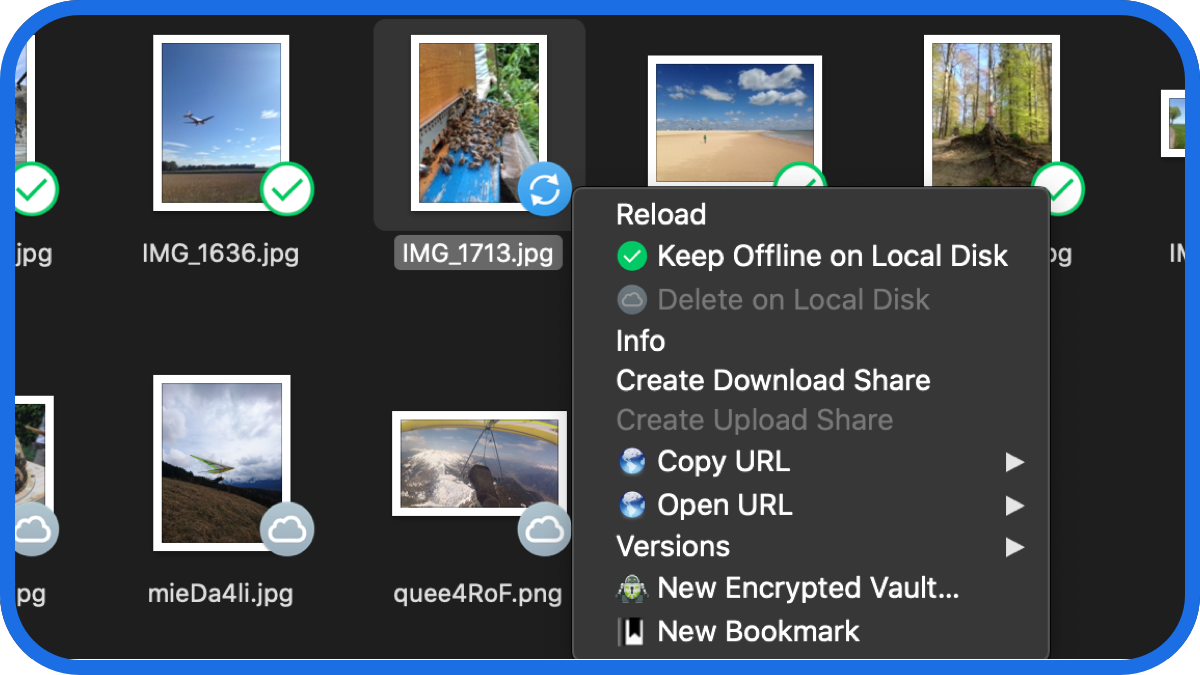
Select files and folders to keep on your computer. Other files are downloaded on demand and don’t take up local space. Changes are uploaded in the background.
Mount cloud storage and servers as disks in the Finder on macOS and Windows File Explorer.
Select files and folders to keep on your computer. Other files are downloaded on demand and don’t take up local space. Changes are uploaded in the background.
With Integrated Connect Mode, sync with File Provider (macOS) and Cloud Files (Windows) APIs.
Runs in the status or system bar on macOS and Windows with sync progress, file history and connection management.
Badges notify you when a file is added or is updated on a server or cloud storage.
 Secure your data on any server or cloud storage with Cryptomator to prevent unauthorized access regardless of infrastructure. File and directory names are encrypted, directory structures are obfuscated. Unlike disk encryption utilities, each file is individually encrypted.